







 All Earrings
 Stud Earrings
 Drop Earrings
 Solitaire
 Hoop Earrings
 Halo Earrings
 Vermeil Earrings
 Round
Round
 Oval
Oval
 Emerald
 Pear
Pear
 Princess
 Heart
Heart
 Marquise
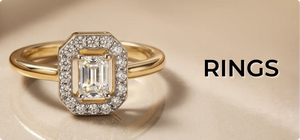
 All Rings
 Solitaire Rings
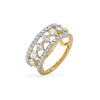 Band Rings
 Halo Rings
 Cocktail Rings
 Eternity Rings
 Fashion Ring
 Stack Rings
 Men's Rings
 Vermeil Rings
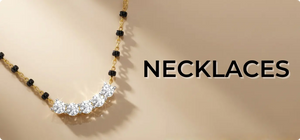
 All Necklaces
 Necklet
 Mangalsutra
 Solitaire
 Tennis Necklace
 Statement Necklace
 Vermeil Necklace
 Alphabets
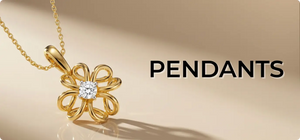
 Solitaire Pendant
 Halo Pendant
 Vermeil Pendants
 All Bracelets
 Solitaire Bracelet
 Tennis Bracelet
 Fashion Bracelet
 Mangalsutra
 Vermeil Bracelets
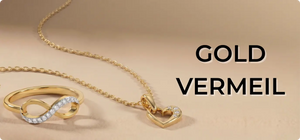
 All Vermeil
 Vermeil Earring
 Vermeil Pendant
 Vermeil Ring
 Vermeil Necklace
 Vermeil Mangalsutra
 Vermeil Bracelets
 Vermeil Bangles
 Vermeil Men’s

Add free personalized gift card to your order
Search Filter Help
Search Filter Assistance | Lukson Lab Grown Diamond Jewelry
How to Use Search and Filters on Our Website
To help you find what you’re looking for quickly and efficiently, we have implemented powerful search function and variety of filters. This guide will walk you through how to use search and filters.
How to Search on Our Website
Search allows you to quickly find specific items you’re looking for by simply typing in keywords or phrases for example name of the product, type or brand with immediate and relevant results.
- Locate the Search Icon: Look for the magnifying glass icon (🔍) on our website.
- Open the Search Bar: Click on the magnifying glass icon. A search bar will appear.
- Enter Your Query: Type the name or description of the item you're looking for into the search bar.
- Select from the Suggestions: As you type, a list of suggested items will appear in a dropdown menu below the search bar. You can click on an item in this list to go directly to its page.
- View More Results: If you want to see more results for your search, press 'Enter' after typing your query. This will take you to a Search Results Page with a broader selection of items.
- Use Filters: On the Search Results Page, you can apply filters to narrow down the results and find your desired item more easily.
How to Apply Filters on Our Website
Filters are a powerful tool that can help you narrow down your search results based on specific criteria, such as price range, category, brand, color, size, customer rating, gender, discount, and more.
- Perform a Search or Open a Collection: Start by performing a search or opening a collection on our website.
- Locate the Filter Option: Look for the 'Filter' option, usually located on the side or top of the page.
- Apply a Filter: Click on the filter you want to apply. For example, if you're shopping for clothes and only want to see items in a certain size, click on the 'Size' filter and select your size.
- Apply Multiple Filters: You can apply multiple filters to narrow down your search results even further. For example, you could apply filters for 'Size', 'Color', and 'Price Range' at the same time to find the perfect item.
- Change or Clear Filters: If you want to change or clear your filters, look for a cross on top to deselect that filter and to reset click on ‘Clear’.
Thank you for taking the time to learn how to use our search and filters. We hope this guide makes your shopping experience on our website more enjoyable and efficient. Happy shopping!


